
 Galaxy CasinoGUIDE 04
Keno & bingo
Learn how to select numbers and cards, use bonuses and check results.
Keno · Selecting numbers & drawing
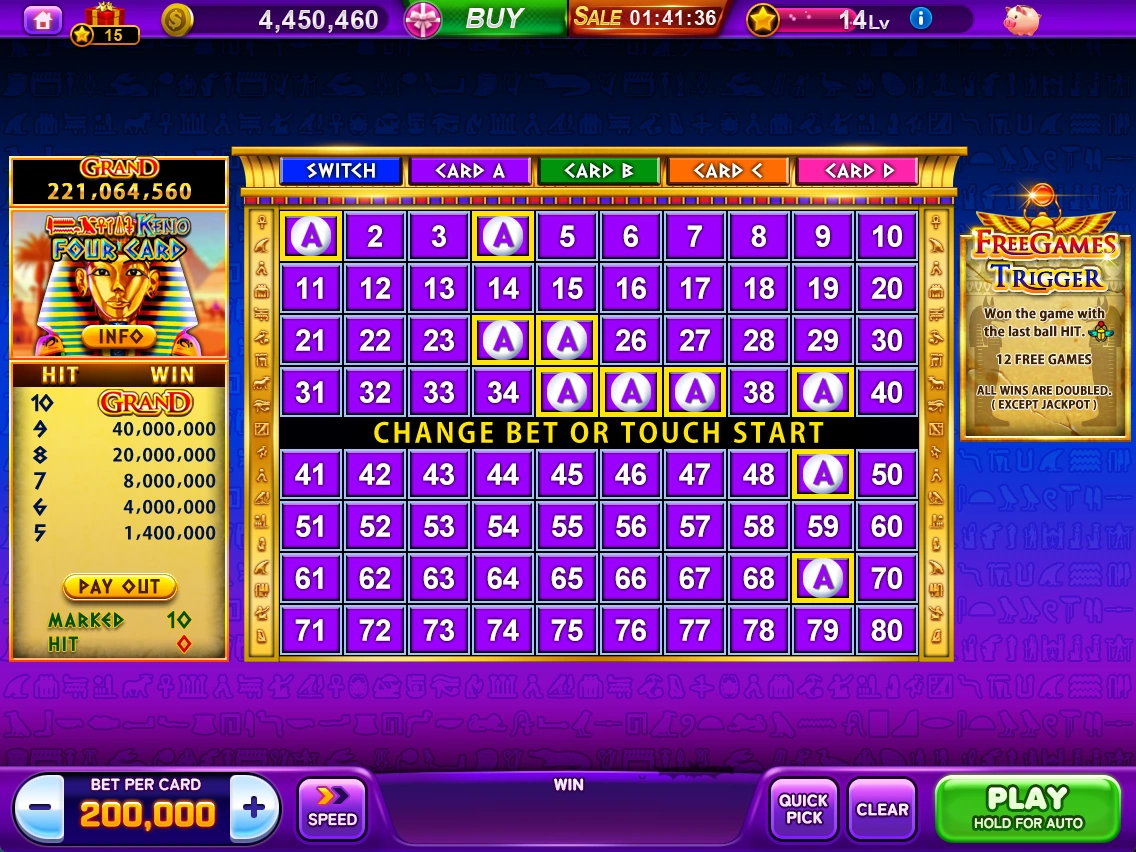
The screenshot shows Tutankhamun Four Card Keno. Cards and bonus rules vary by theme, so check INFO for the theme you choose.
- Choose a card to configure from CARD A–D.
- Select numbers from 1–80 yourself, or use QUICK PICK.
- Use − / + under BET PER CARD to set the bet per card, then press PLAY.
- Check WIN based on how many drawn numbers match your selections (HIT).
Main controls
QUICK PICK selects numbers automatically. CLEAR removes the current card's selections. SPEED adjusts drawing speed. Press and hold PLAY to open autoplay settings.
Free games and jackpot
In this theme, a winning match on the last drawn ball starts 12 free games, with 2x winnings except for jackpots. Check the left-hand table and INFO for GRAND conditions and payouts.
HOT and COLD
HOT and COLD highlight numbers based on past draws. They do not predict or guarantee the next draw or a win.
Choosing bingo cards & boosters
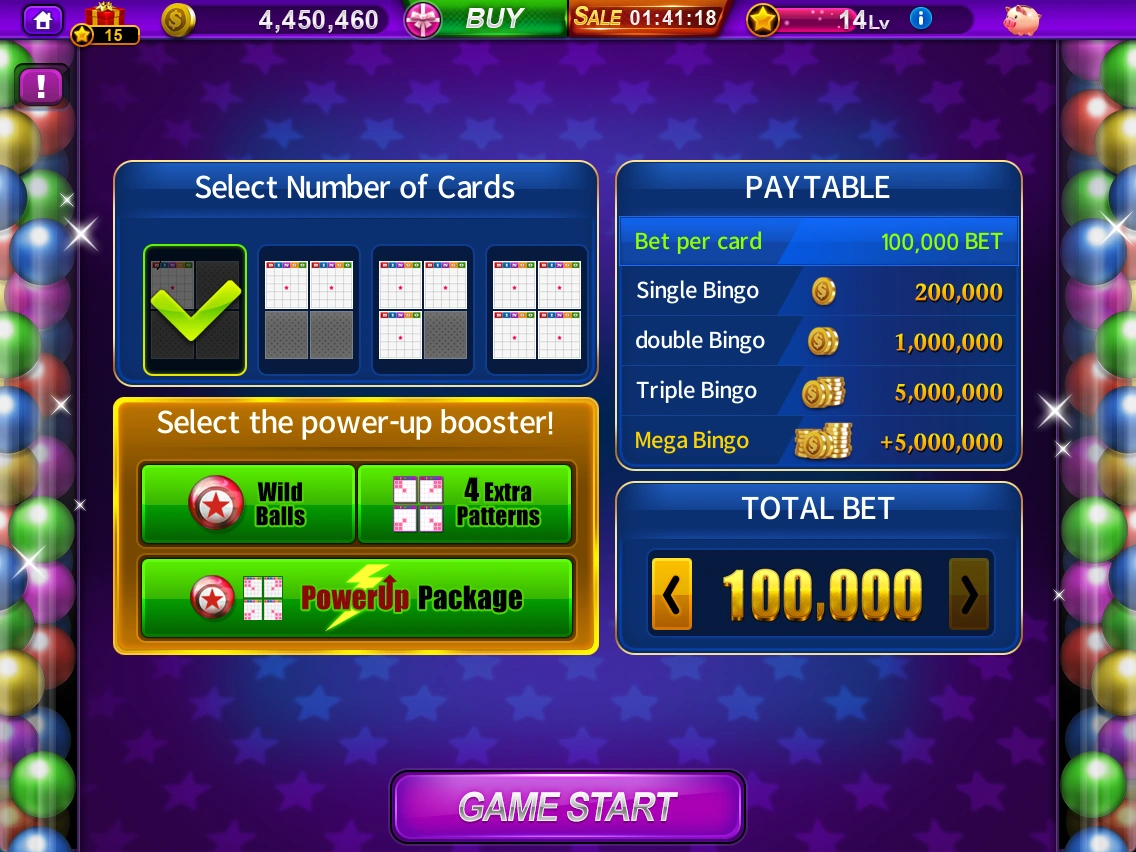
Choose your card count and bet, and optionally select paid boosters.
- Under Select Number of Cards, choose 1–4 cards.
- Review the contents and cost of Wild Balls, 4 Extra Patterns or PowerUp Package.
- Use the arrows to adjust your bet, then check TOTAL BET and PAYTABLE.
- Press GAME START to begin.
Booster types
Wild Balls provides wild balls; 4 Extra Patterns adds 4 bingo patterns. PowerUp Package combines both effects.
Marking numbers & extra chances
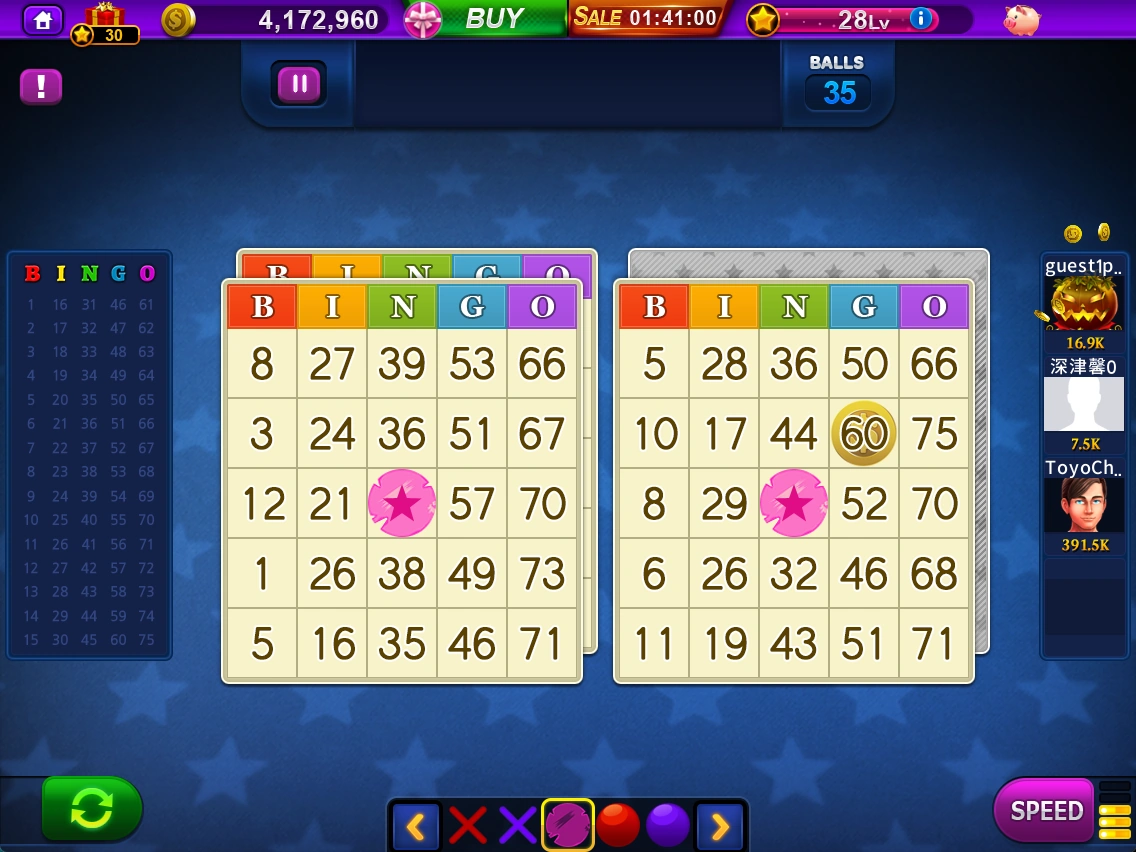
Find and mark drawn numbers on your cards to complete bingo patterns.
- Select the card numbers that match the drawn balls.
- Check the B-I-N-G-O board on the left for numbers drawn so far.
- Use SPEED to change the pace and the marker choices at the bottom to change the marking style.
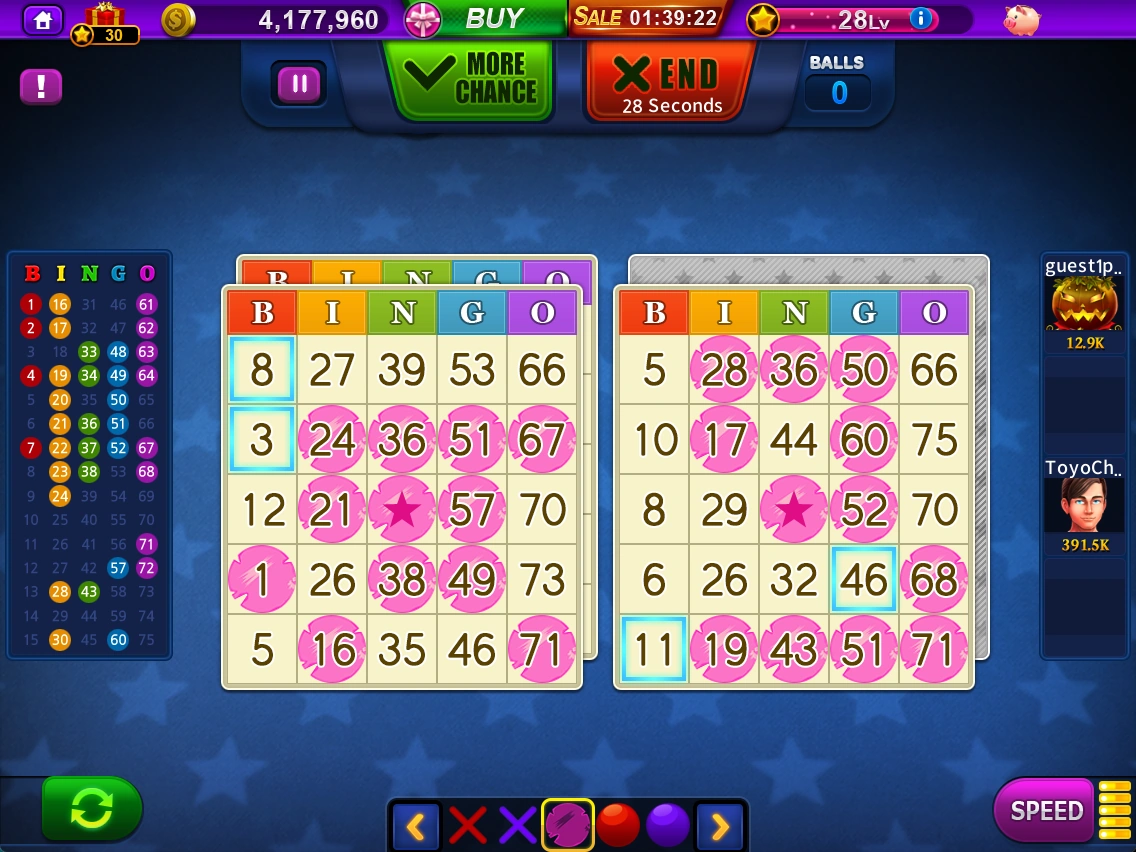
- When MORE CHANCE appears, check the conditions for an extra chance. Select END to finish.
Checking bingo results
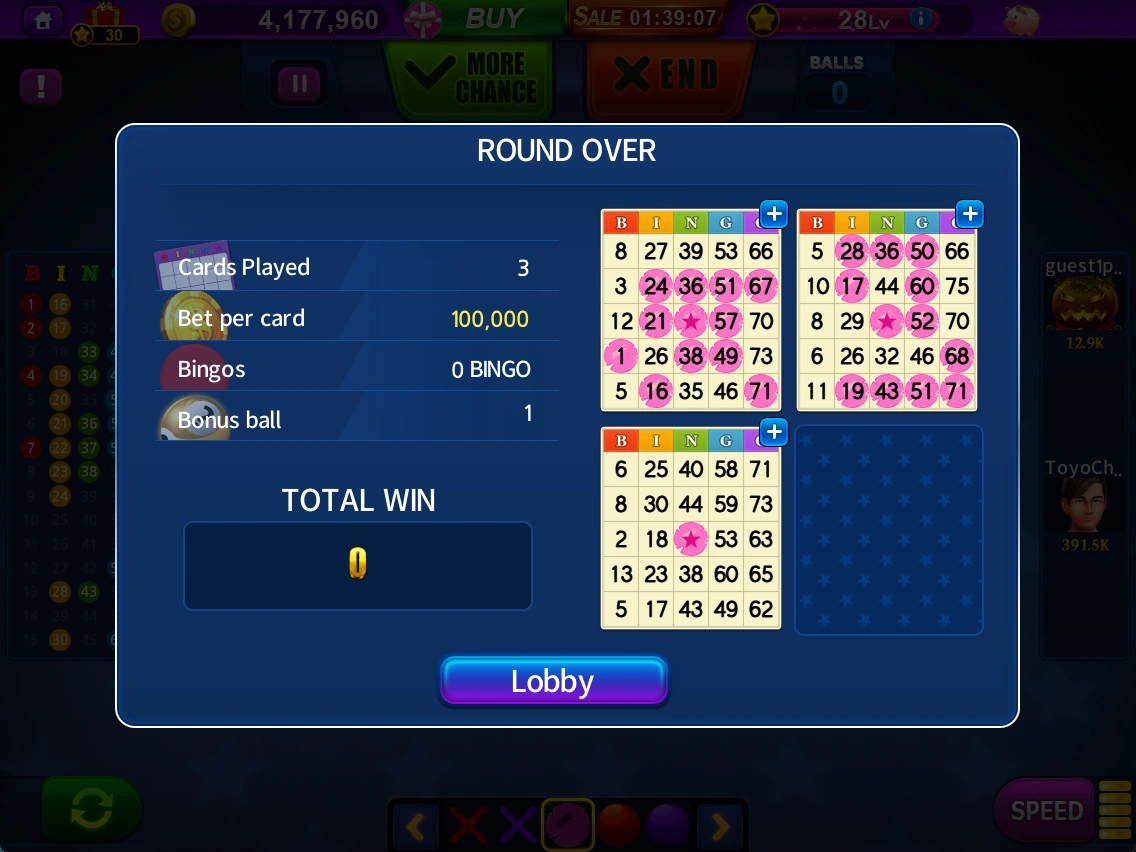
At the end of the round, review your card count, bet, completed bingos, bonus balls and TOTAL WIN.
- Check the marks on each card and your final chip winnings.
- Press Lobby to return to the bingo start screen.
Screenshots were taken on October 21, 2026 and are examples. Check the latest in-game information for prices, balances, rewards and event conditions.
Button names match the English labels shown in the game.