
 Cash Bay SlotsGUIDE 07
Account & settings
Find your profile, sign-in, inbox, rankings and game information.
Profile & avatar
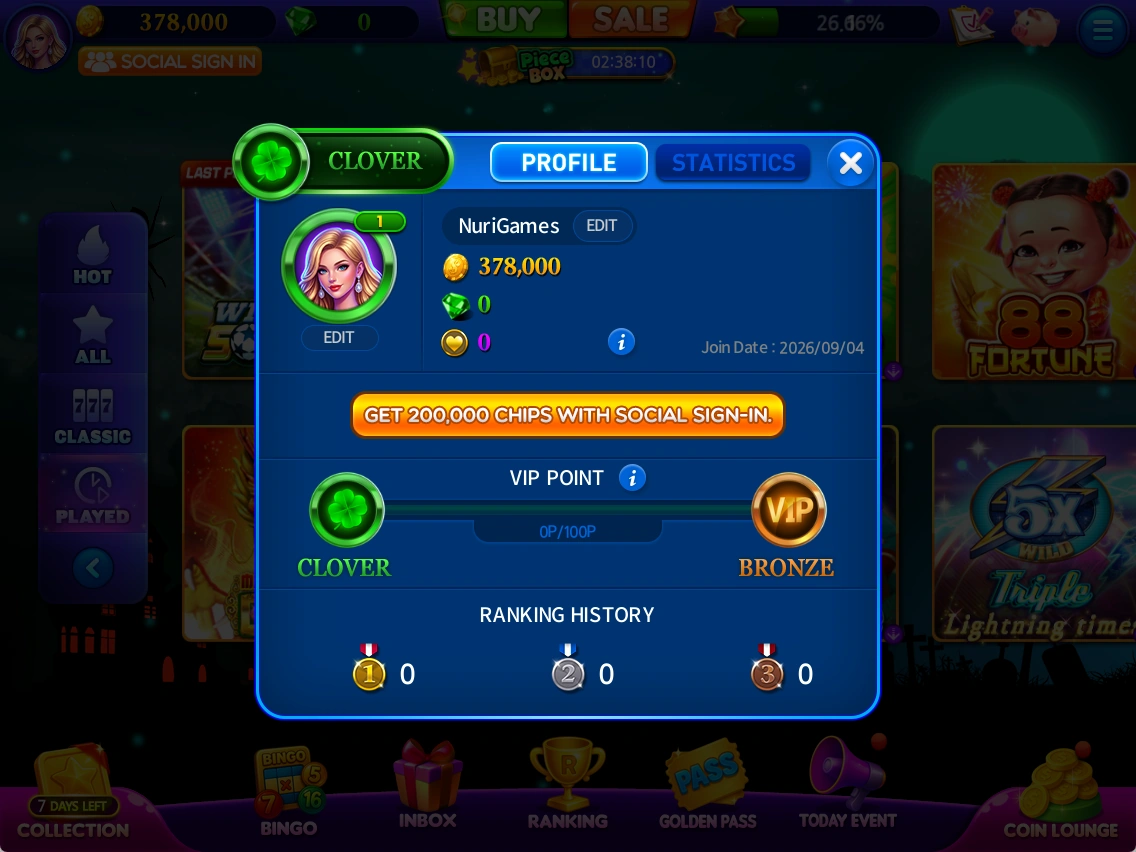
View account information and VIP status, and change your avatar.
- Click your lobby profile.
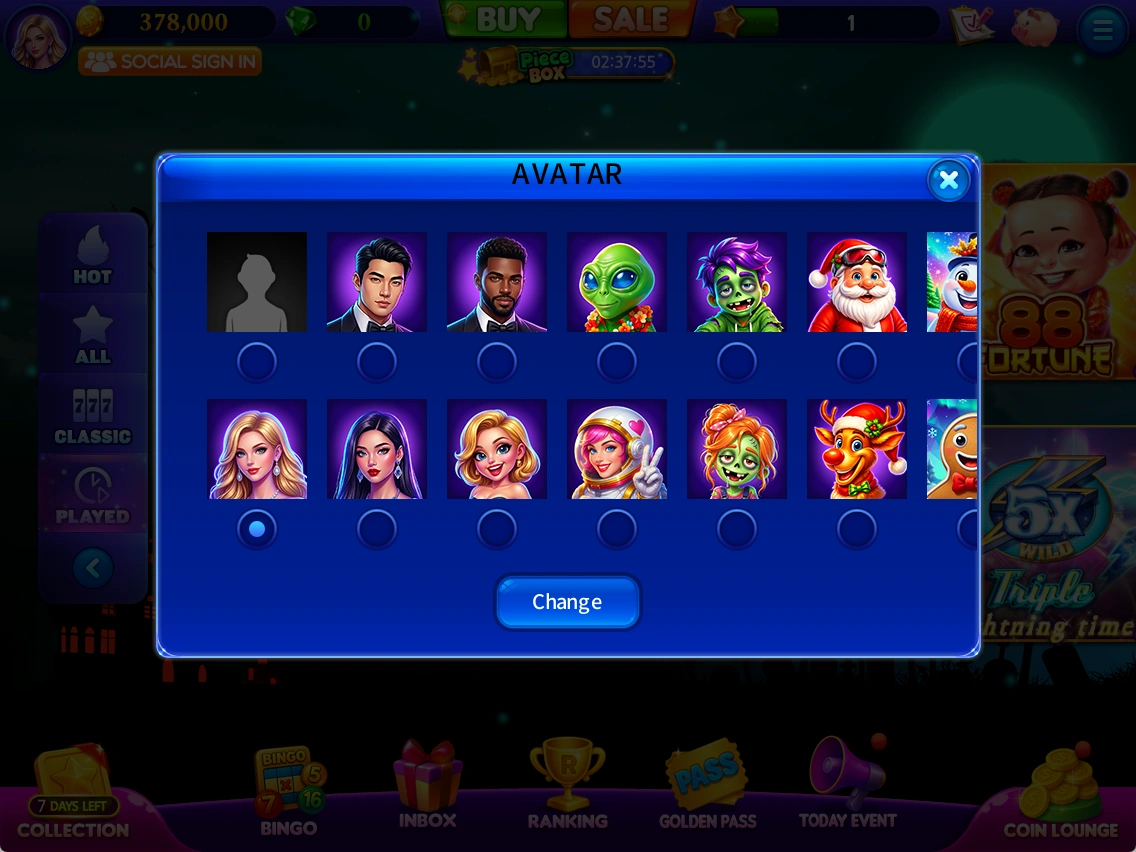
- Select EDIT to open avatar selection.
- Choose an avatar and select Change.
Social sign-in
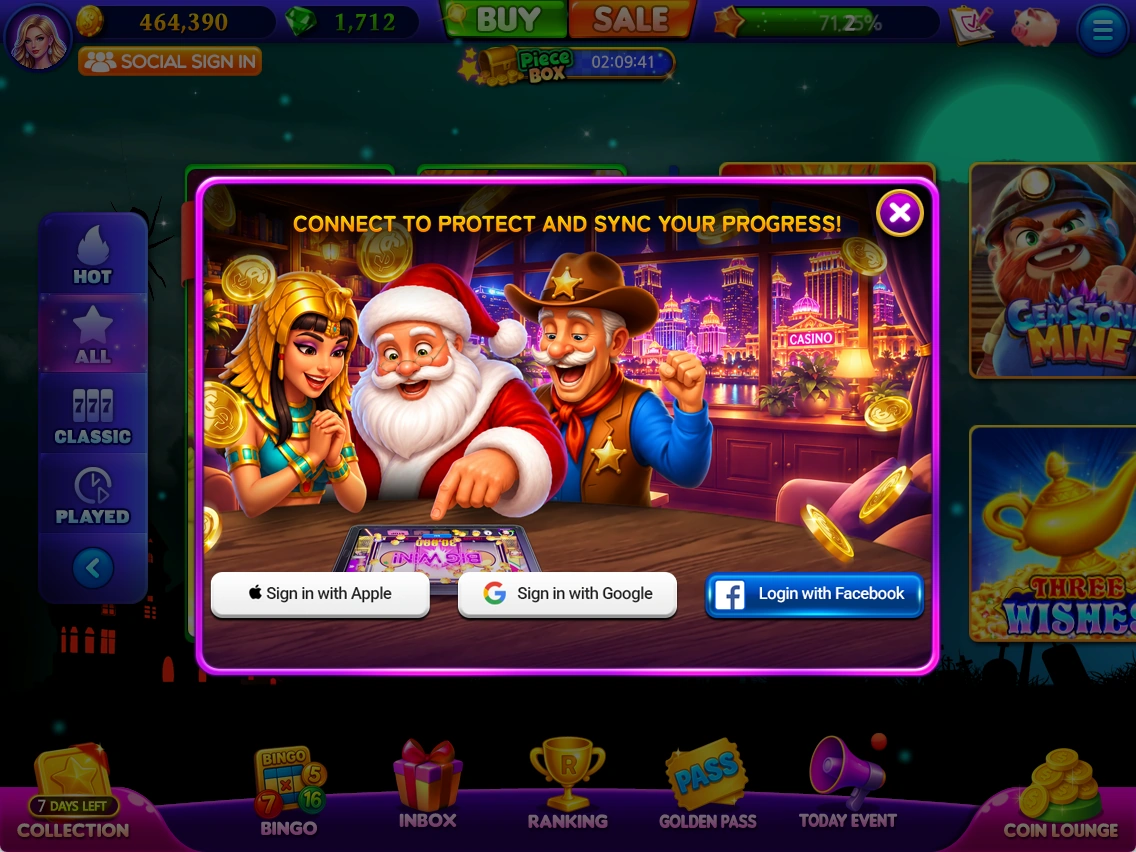
Choose from the account connection methods displayed on the social sign-in screen.
- Select SOCIAL SIGN IN.
- Choose a displayed Apple, Google or Facebook option.
- Confirm the account and follow the in-game instructions.
The supplied material does not fully describe account transfer or recovery, so no unverified steps are provided.
 Enlarge ↗
Inbox
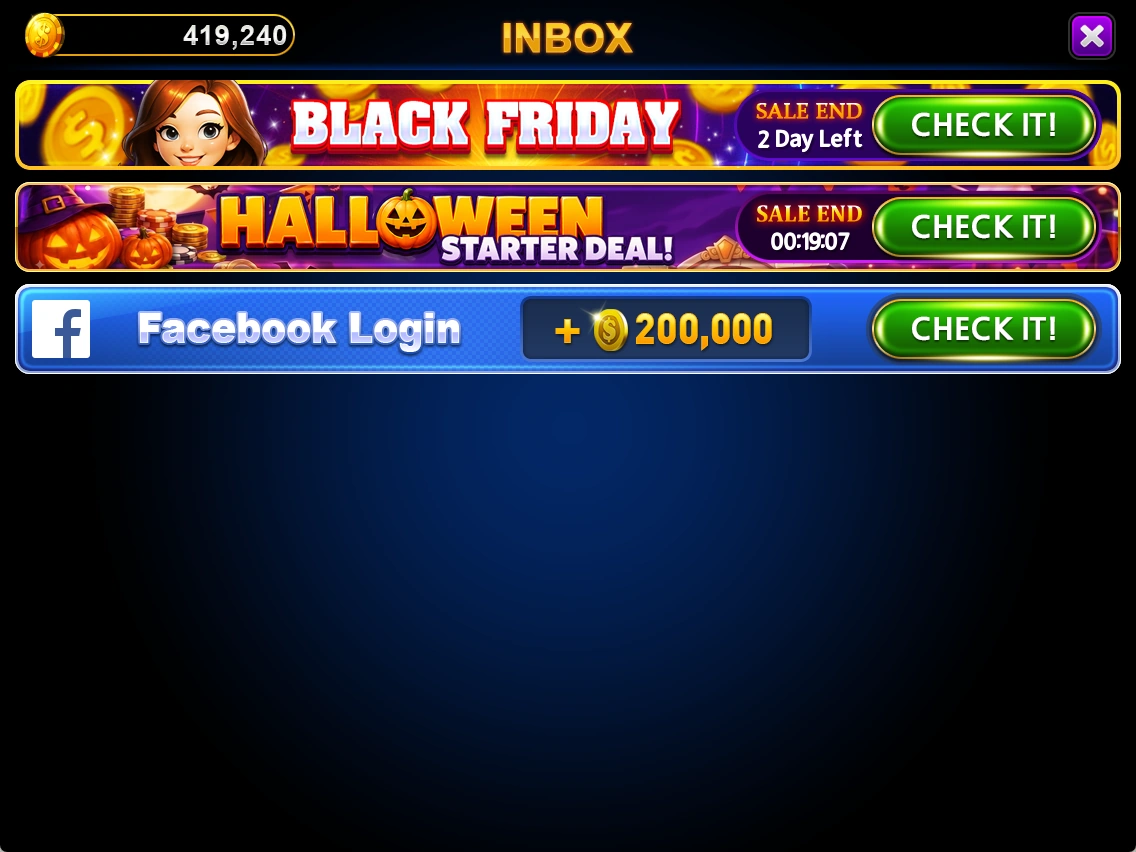
Check gifts and promotional notices in your inbox.
- Open INBOX and read each item.
- Use a button such as CHECK IT to view the relevant notice.
 Enlarge ↗
Rankings
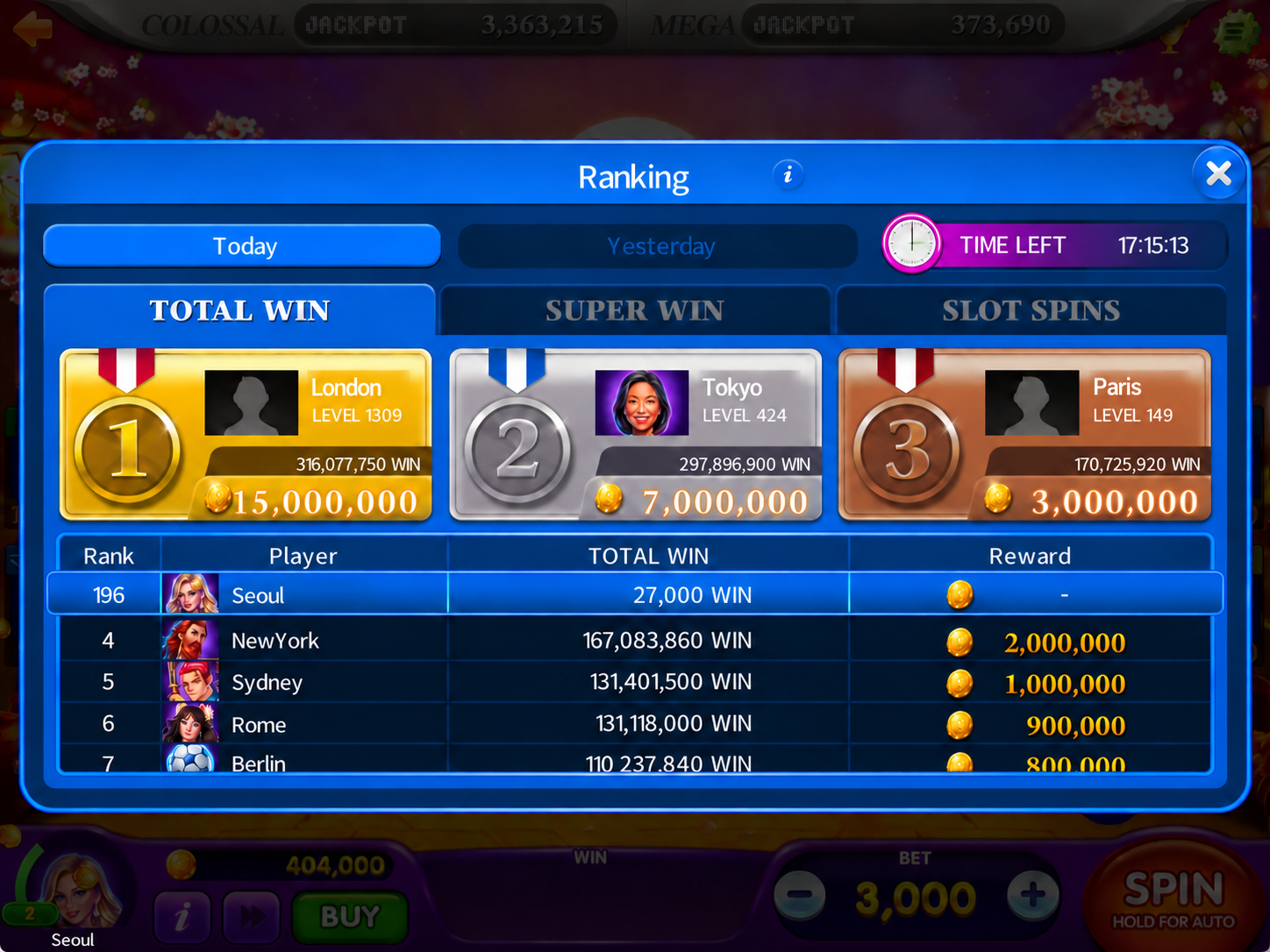
View today's and yesterday's slot rankings. TOTAL WIN ranks cumulative wins for the day, SUPER WIN ranks the largest win and SLOT SPINS ranks spin count.
- Choose Today or Yesterday.
- Choose TOTAL WIN, SUPER WIN or SLOT SPINS.
- Check the ranks and displayed information.
Ranking reward availability is under review.
Review note · Further verification needed
The notes say “no rewards,” while the screenshot shows Reward. Eligibility, payment and timing need operations confirmation.
 Enlarge ↗
Menu & sound settings
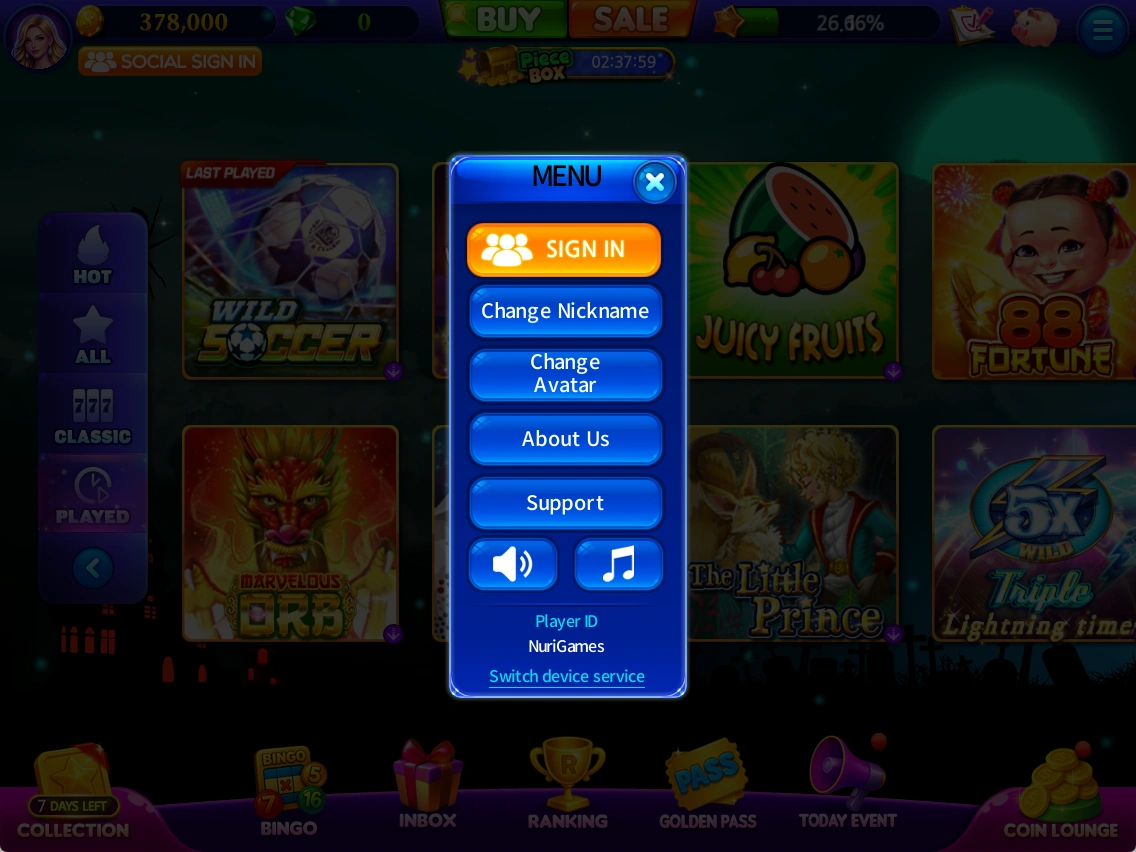
Find sign-in, nickname/avatar changes, game information, support and sound controls in the menu.
- Open the menu and choose a feature.
- Check and adjust sound-related buttons.
- Select Support for help information.
 Enlarge ↗
Game information & policies
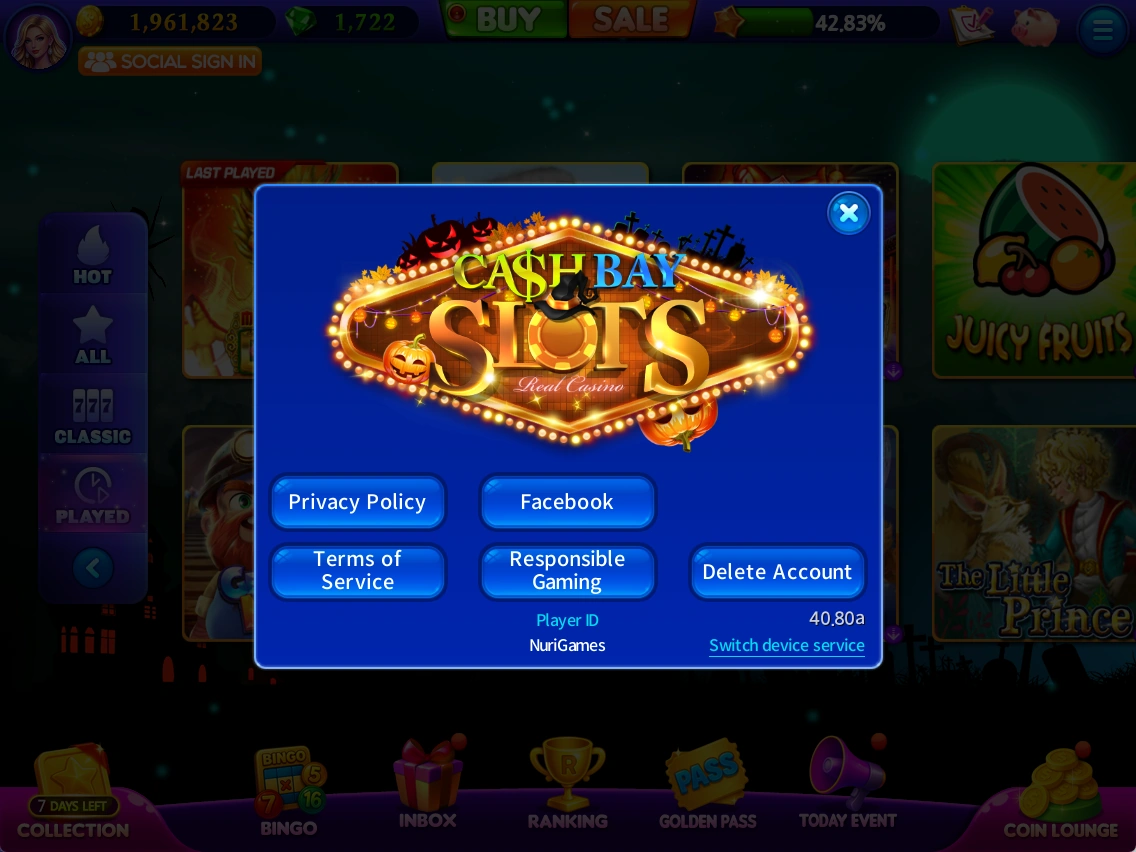
About contains privacy, terms, responsible gaming, account deletion and game version information.
- Check your ID and game version in About Us.
- Choose a policy button to read the relevant information.
- Read the in-game information carefully before selecting account deletion.
This manual does not perform account deletion or transfers. Detailed procedures will be added after verification.
 Enlarge ↗
Based on supplied notes and captures from October 19–20, 2026. Prices, balances and rewards shown are examples. Check the latest in-game notices for events and conditions.
Button labels in screenshots retain the original English UI.