
Cash Bay Slots / GUIDE 06
Store & VIP
View Coins, Gems, memberships and VIP information.
Coins products
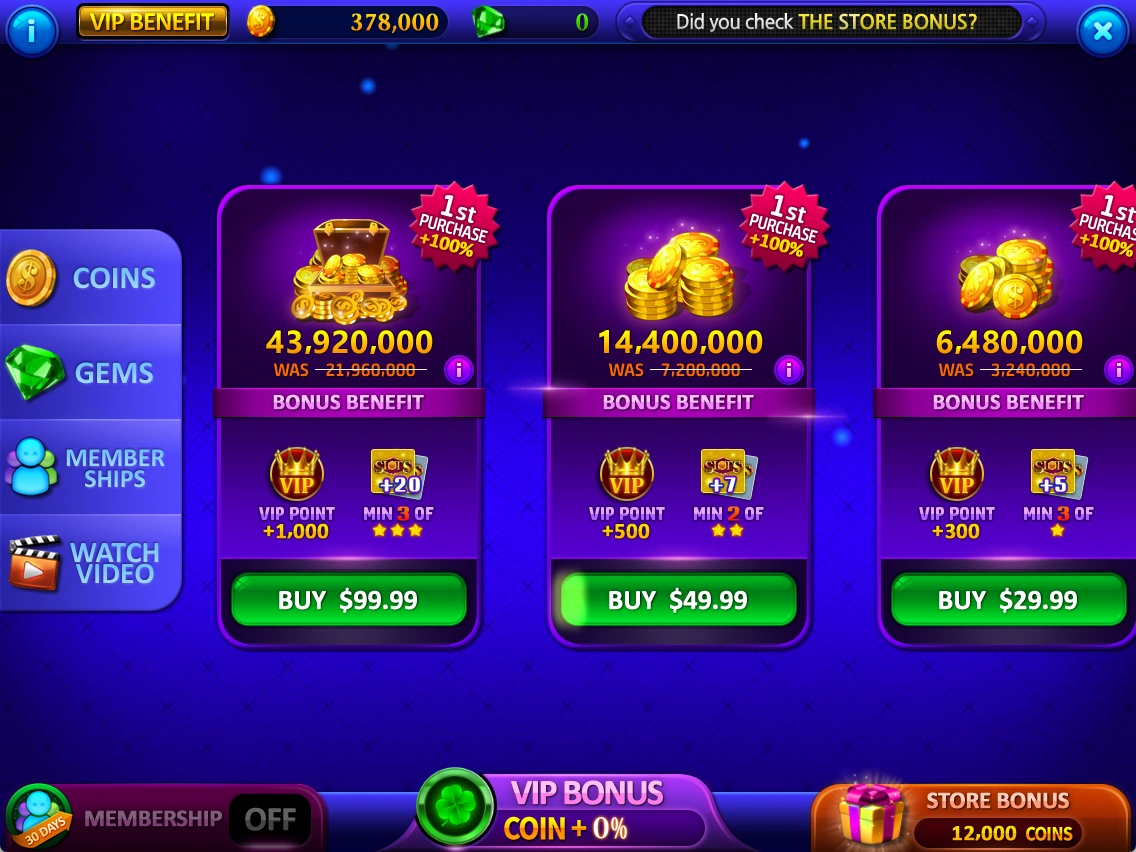
The COINS tab shows coin products and their displayed contents.
- Compare coin amounts and additional contents.
- Check the BUY price before deciding to purchase.
Manual screenshots are not purchase buttons. Actual purchases take place in the game.
 Enlarge ↗
Gems products
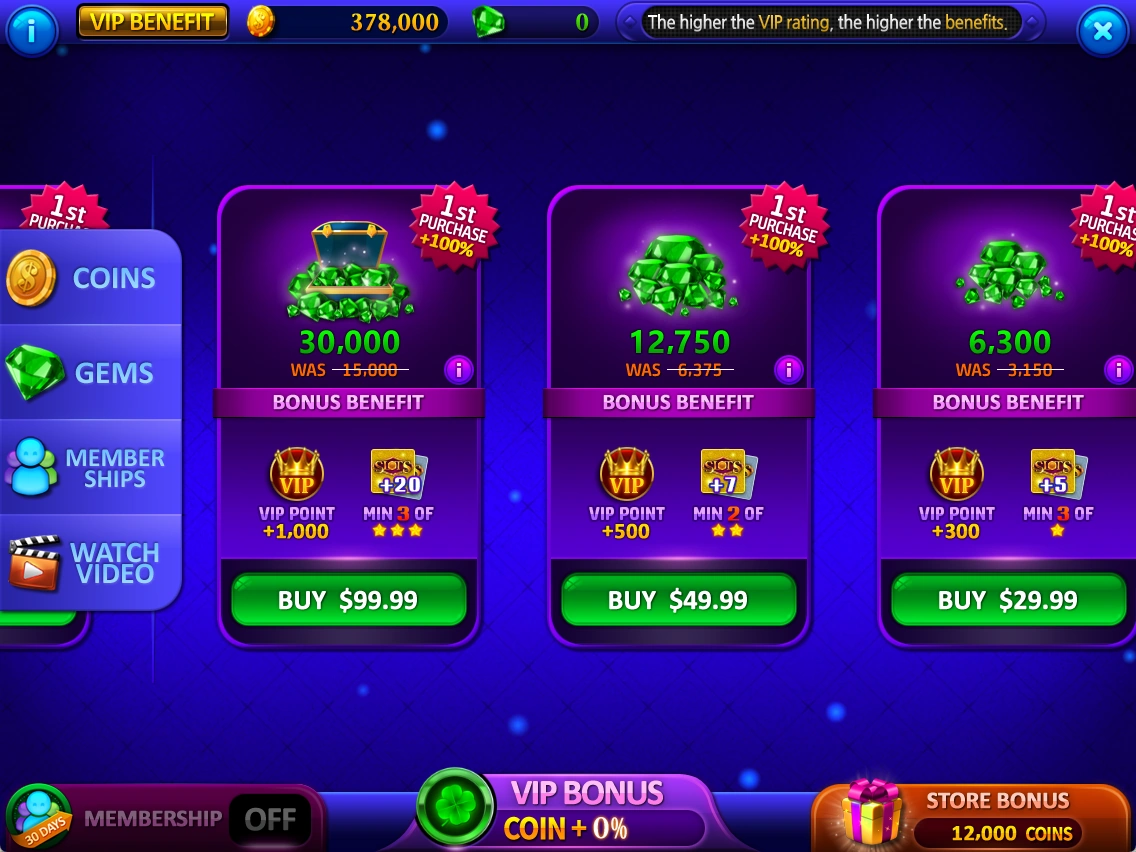
View Gems products in the GEMS tab. Gems can be used for additional access to some bonus features.
- Check Gems amounts, additional contents and prices.
- Choose only after reviewing the product and its conditions.
Check the Gems cost again on the feature you intend to use.
 Enlarge ↗
Memberships
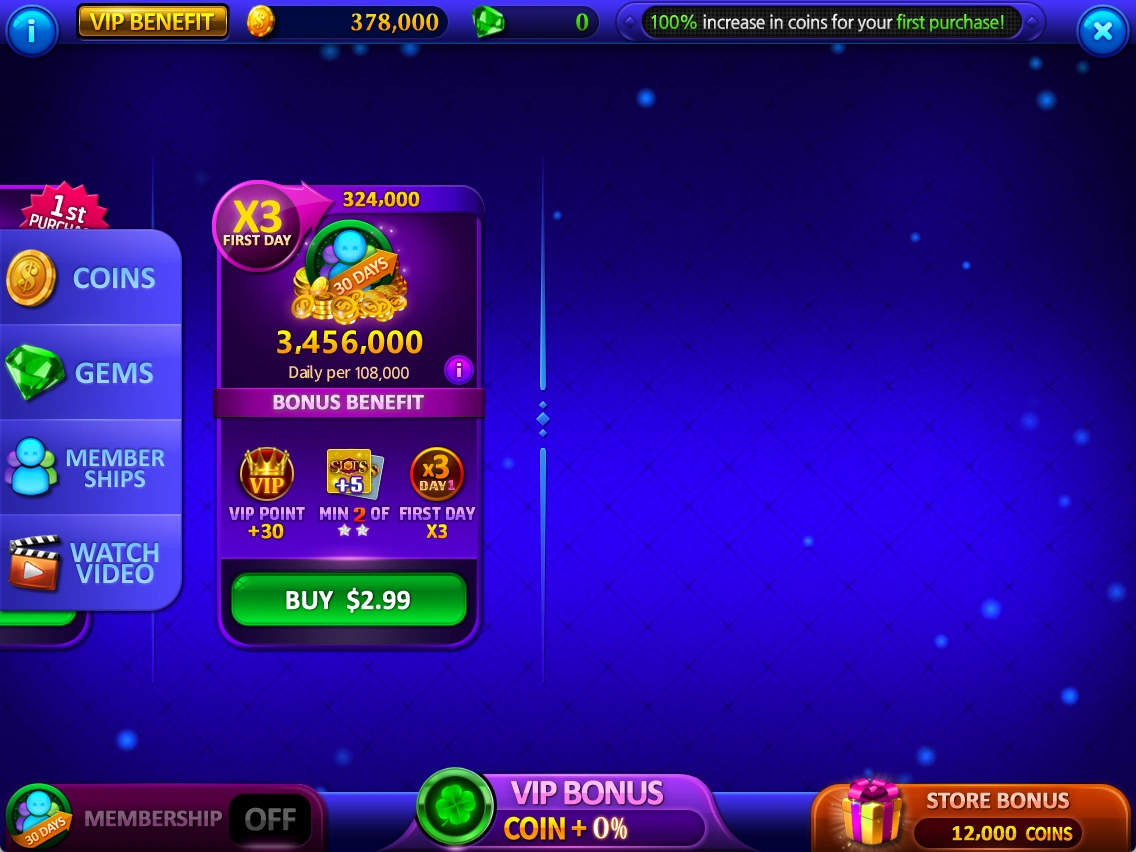
View membership duration, delivery details and benefits.
- Check the product duration and how benefits are delivered.
- Read the price and detailed terms before purchasing.
Auto-renewal and detailed delivery conditions cannot be confirmed from the supplied material alone.
 Enlarge ↗
VIP information & tiers
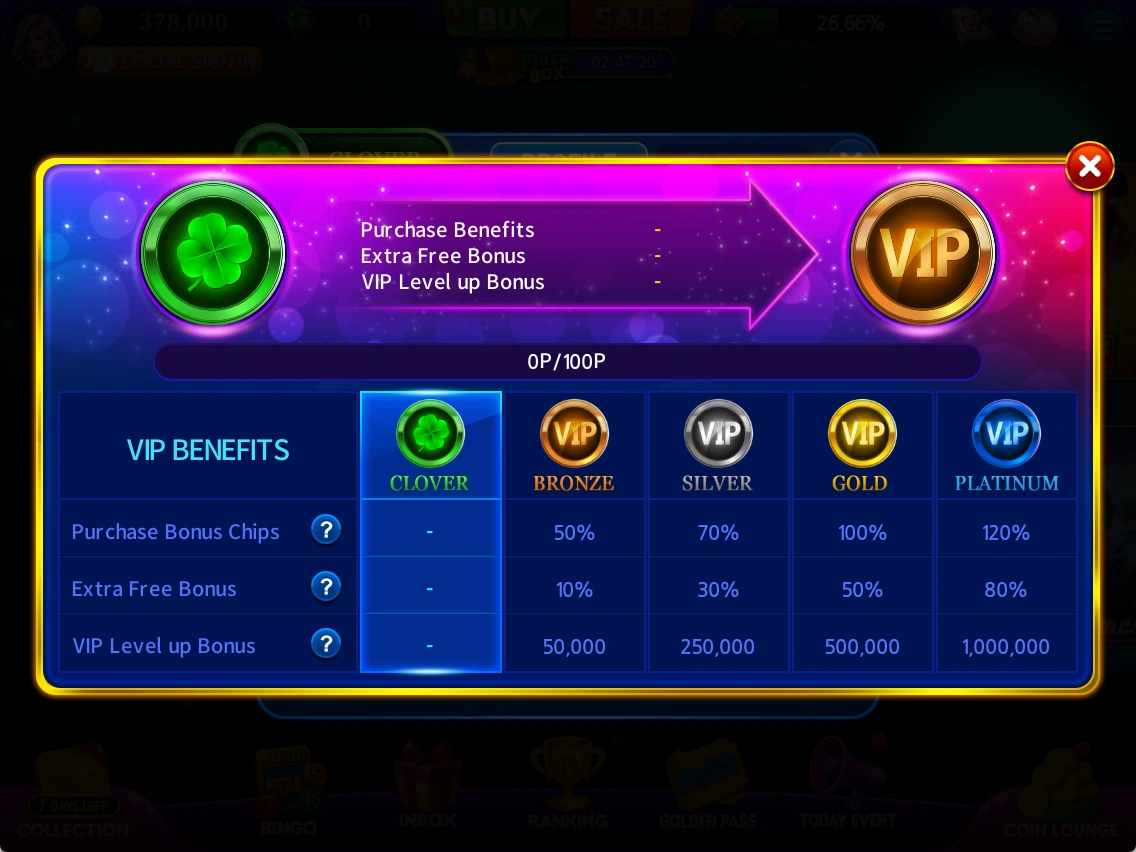
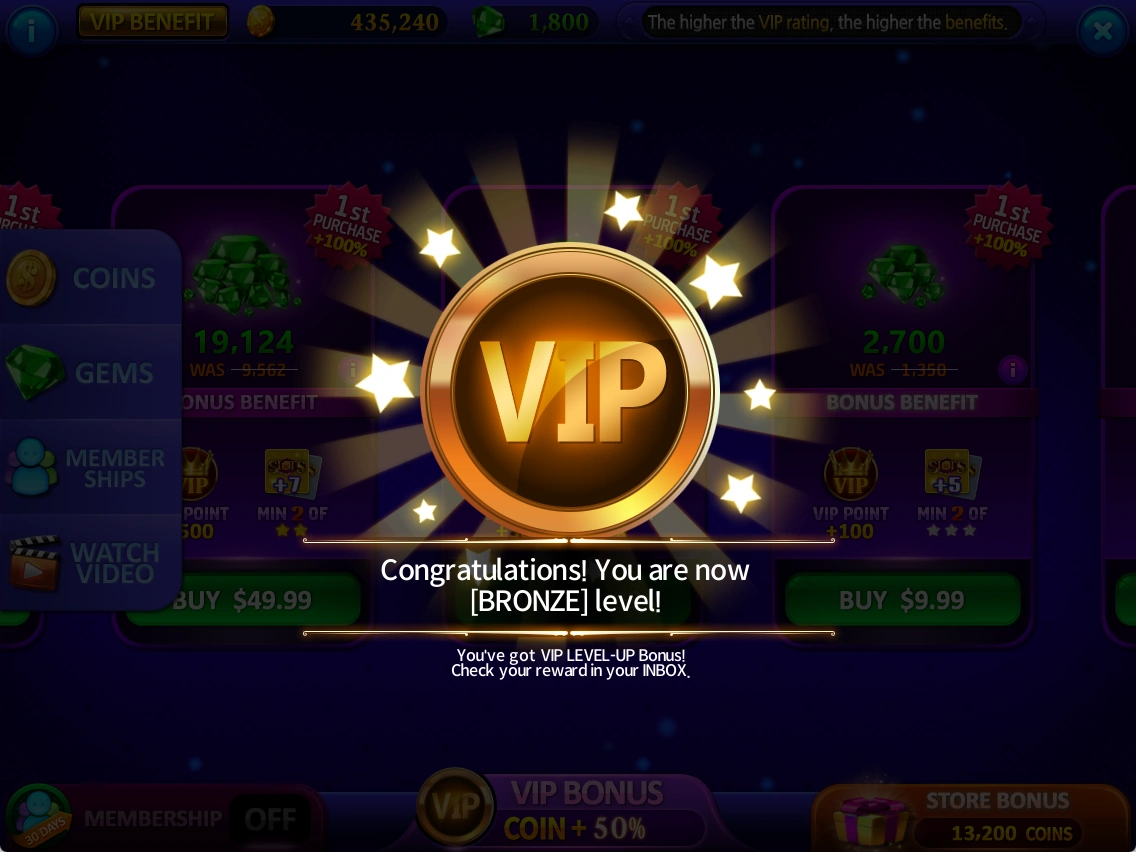
Compare tier benefits in VIP information. A separate celebration screen appears when a tier increases.
- Check your current VIP status in Profile.
- Read benefits by tier in VIP POINT information.
- After a tier-up notice, check the updated status.
The notes describe purchase-based tier progression. Exact point rules and tier requirements are still being reviewed.
Based on supplied notes and captures from October 19–20, 2026. Prices, balances and rewards shown are examples. Check the latest in-game notices for events and conditions.
Button labels in screenshots retain the original English UI.