
Cash Bay Slots / GUIDE 03
Bingo
Choose cards, play a round and check your results.
03.01
Choose cards & bets
Where to find it · Lobby → BINGO
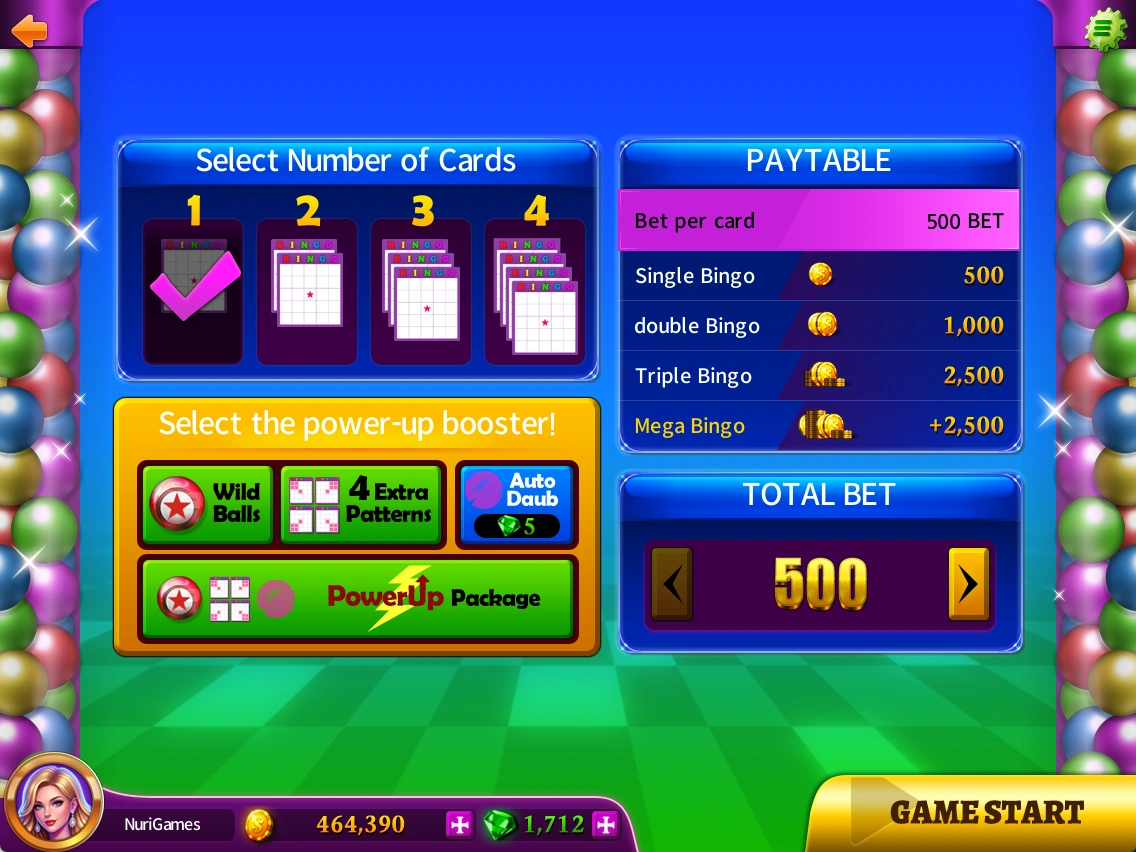
The Bingo setup screen shows card count, bet settings and power-ups.
- Choose a card count under Select Number of Cards.
- Check the bet controls and TOTAL BET for the total cost.
- If using a power-up, check the item and its cost.
- Select GAME START when ready.
The total cost can change with card count and bet settings.
 Enlarge ↗
03.02
During a Bingo round
Where to find it · BINGO → GAME START
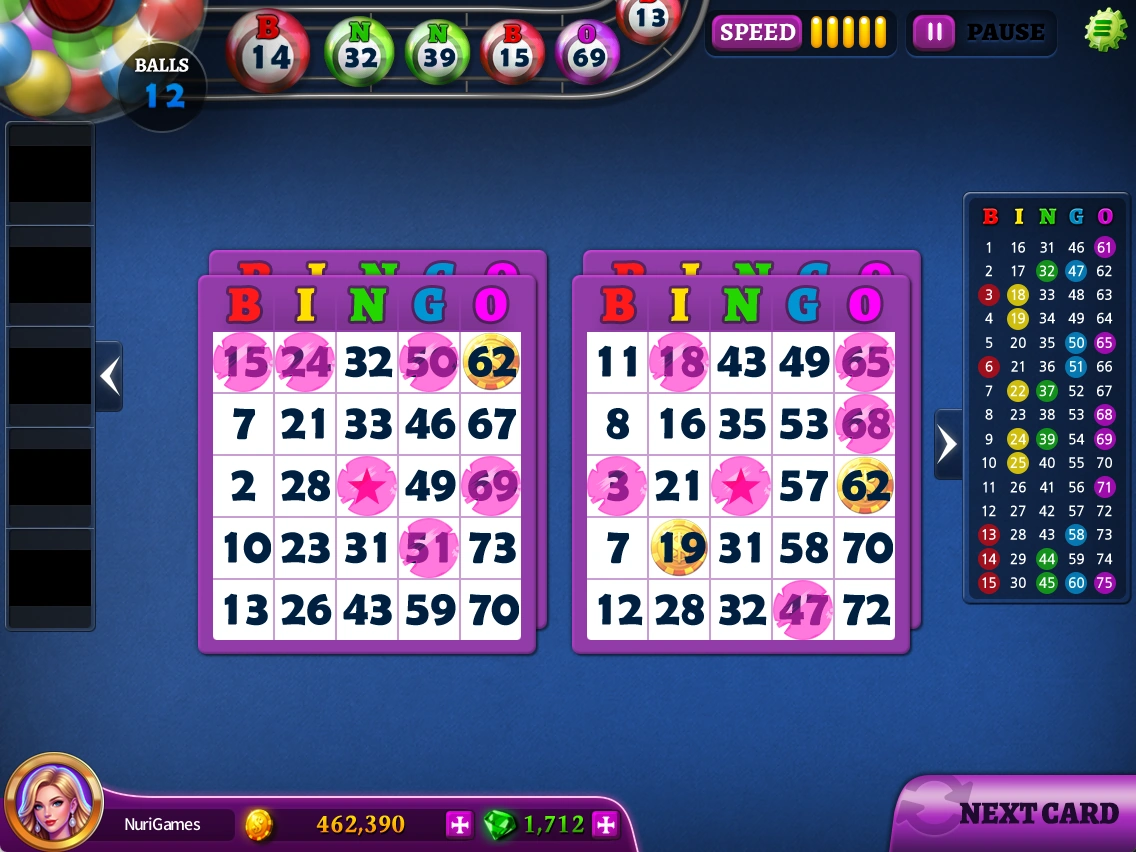
The play screen shows cards, drawn balls, number history and speed controls.
- Use SPEED at the top to adjust how quickly balls are drawn.
- Use pause to stop the round temporarily.
- Check the number history and use NEXT CARD to view other cards.
 Enlarge ↗
03.03
Extra chances & results
Where to find it · End of a Bingo round
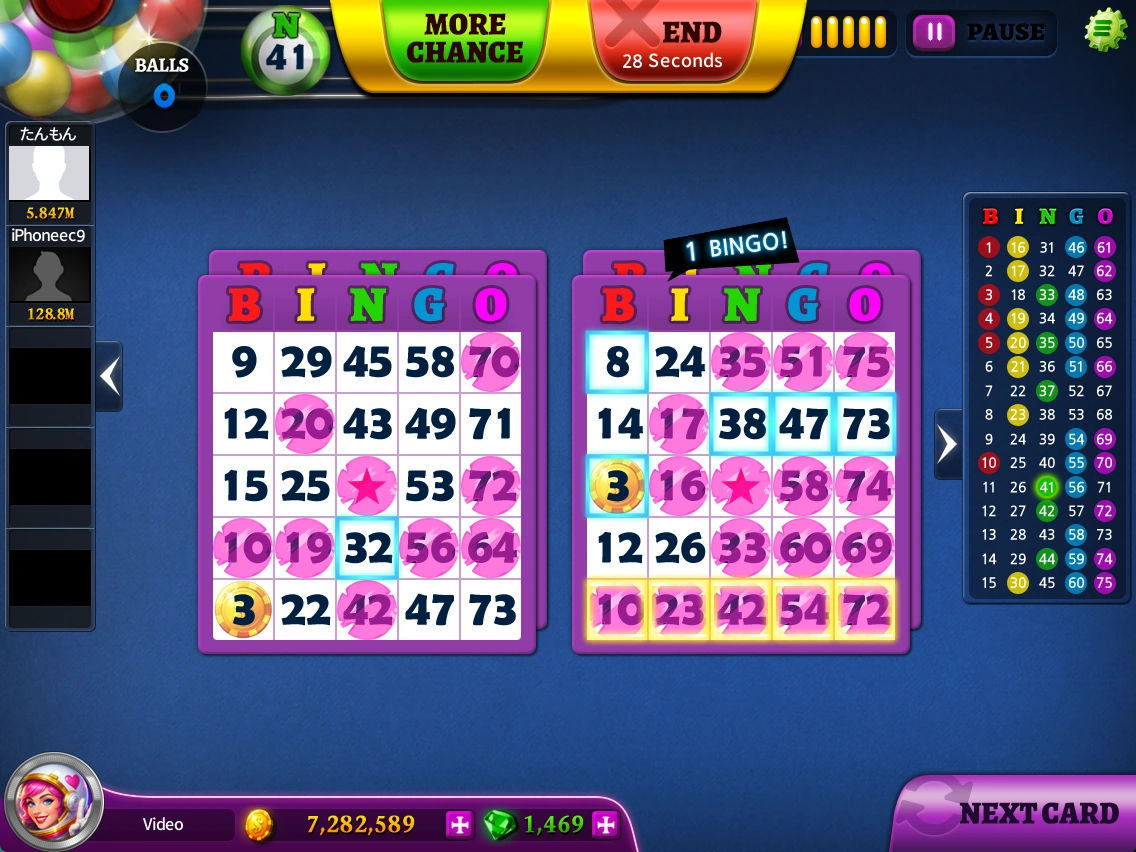
Choose MORE CHANCE or END when the round finishes. MORE CHANCE costs resources and draws additional balls.
- Check the cost before choosing MORE CHANCE.
- Choose END to finish.
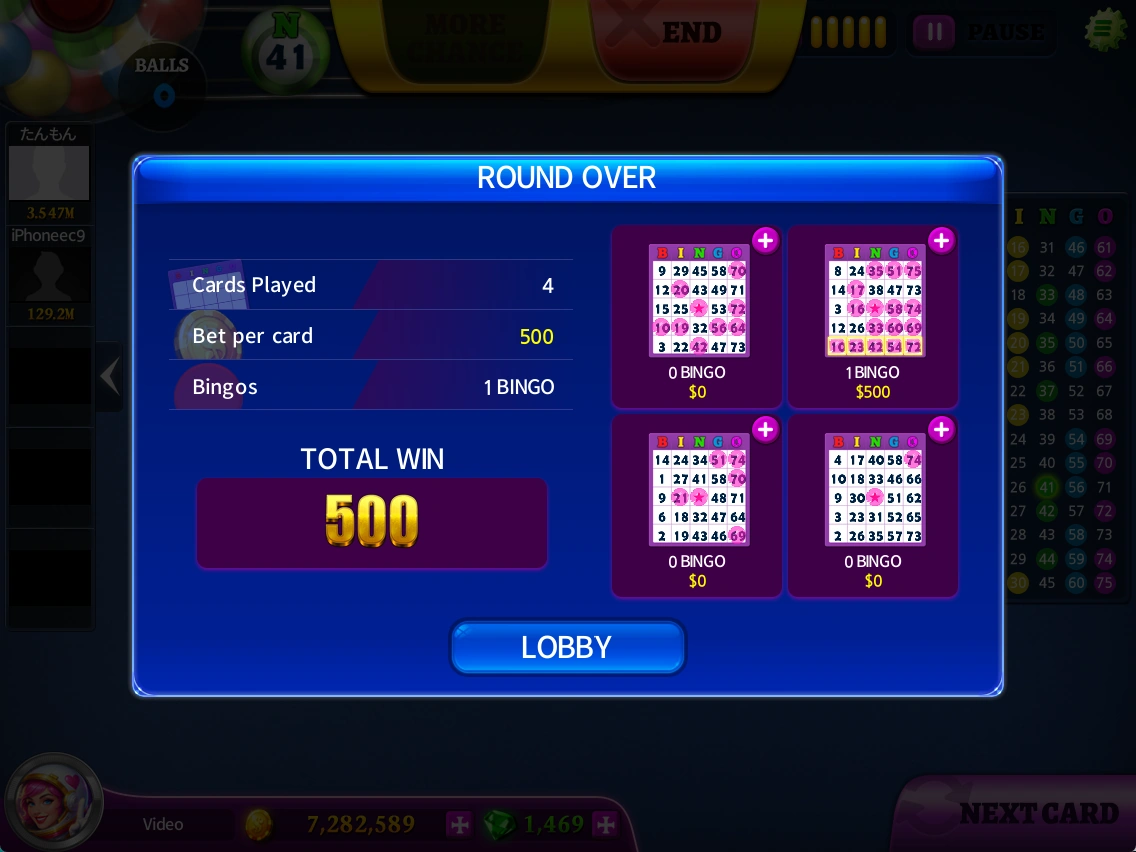
- In ROUND OVER, check cards played, bet per card, winning lines and TOTAL WIN.
- Use LOBBY to return.
MORE CHANCE is not free.
Based on supplied notes and captures from October 19–20, 2026. Prices, balances and rewards shown are examples. Check the latest in-game notices for events and conditions.
Button labels in screenshots retain the original English UI.